4 minute read · Practical field guide
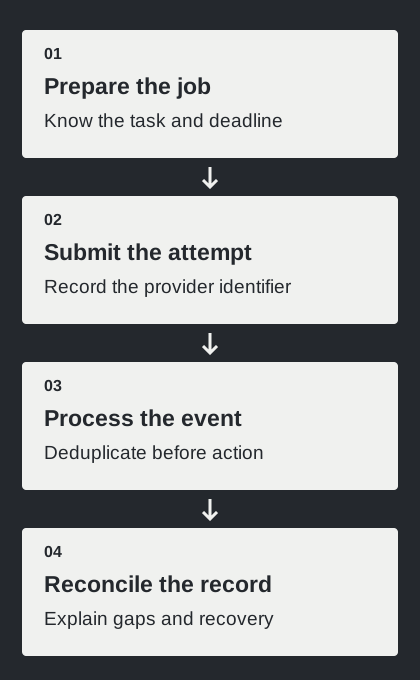
State what the test is meant to establish
Choose a specific question: can the application accept the planned workload, can its workers process events, or can the configured messaging route drain a batch within a useful window? These questions need different evidence. A fast series of successful API responses may demonstrate request acceptance while the provider’s outgoing queue is still growing.
Write the test scope, environment, limits and stopping conditions before starting. Use provider-approved facilities and authorized recipients for any real delivery component. A simulated test can exercise your application without contacting customers, but its report should say which transport behavior was simulated. This guide is a plan for a test you conduct; no load test of the reviewed providers is being claimed here.
Twilio’s new console cannot create test credentials; existing legacy credentials still simulate limited resources without contacting real numbers or emitting SMS/call status callbacks. Simulation therefore cannot establish live delivery or callback behavior.
Convert the workload into the units that matter
List the number of business notifications, expected message length, estimated segments and relevant routes. Keep API requests per second separate from configured sending throughput. A single request may represent more than one SMS segment, and different traffic can share a bottleneck. Confirm the units used by the provider’s limit and the data you collect.
Use realistic prepared message bodies when estimating segment counts. Include personalization and any appended text. Keep several examples if the workflow varies substantially. The planning calculator below uses messages multiplied by an average segment count, divided by a segment-per-second rate. Those inputs are a simplified model, so record where each one came from.
Estimate an empty-queue baseline
In a fictional example, 300 messages averaging two segments create 600 segments. At a constant one segment per second, draining that work takes ten minutes. This arithmetic describes a simplified sending queue, not delivery to a recipient’s device. The starting values in the tool are invented examples and do not describe a provider’s default capacity.
Compare the baseline with the time during which the message is still useful. A pickup notice and a short-lived verification code can have different deadlines. Existing queued work, competing traffic, pauses and retries can lengthen the actual process. Twilio’s queueing guidance discusses throughput and latency planning; use your configured service and observed behavior to replace the assumptions in the worksheet.
Doubling the assumed segment rate halves this simplified drain time. It does not prove that changing an API request rate will increase the downstream route’s capacity.
Increase load in observable steps
Begin with a small baseline that verifies instrumentation and the complete return path. Increase the planned rate or batch size in controlled steps within the authorized scope. Keep a record of the exact configuration and start time for each stage so a change in queue behavior can be connected to the workload that produced it.
Observe the application queue, provider-reported state and event processing separately. Define a stop condition for rising errors, excessive queue age or an inability to reconcile attempts. A test should remain understandable as it runs. Continuing to submit work after observability has failed can leave the team with a larger uncertain backlog and little useful evidence.
Twilio’s sent status records upstream carrier acceptance; delivered is confirmation from the carrier and, when available, handset, not a human read.
Include recovery and stale-work handling
Exercise a worker restart, repeated event and temporary request failure in the isolated test plan. Confirm that recovery preserves identifiers and avoids duplicate business actions. Check what happens when a notification’s useful deadline passes while it is still waiting. Use supported cancellation or expiry behavior where available, and document the limits of that control.
Keep a reconciliation step after the traffic stops. Account for submitted jobs, accepted attempts, recorded outcomes and unresolved cases. The totals may represent different units, so explain the relationship rather than forcing them to match by deleting inconvenient records.
- Record the highest observed queue age for each test stage.
- List every unresolved attempt with its internal and provider identifiers.
- Verify that retries did not create a second business action.
- Check which notifications expired before they were useful to send.
Report the result with the assumptions attached
Summarize the workload, environment, configuration, duration and observed bottlenecks. Separate application performance, provider processing and recipient observations. A result from one route or controlled participant set should remain tied to that scope. Include the unsuccessful and unresolved cases so another engineer can assess the practical limit of the test.
Use the calculator as a planning aid before testing and as a comparison afterward. When observed drain time differs, investigate the assumptions rather than treating the estimate as the service’s promise. Keep the test script or procedure and the acceptance criteria together. The useful outcome is a repeatable understanding of capacity and recovery for the business workflow you intend to operate.