5 minute read · Brand comparison
The configuration is the comparison
LoopMessage and messages.dev both offer messaging APIs, but their pricing pages organize the purchase differently. LoopMessage lists a dedicated sender plan with additional options for a phone number, fallback and initiating conversations. messages.dev presents a dedicated-number line plan. Comparing only the first number on each page would miss features that may be necessary for your application to work.
We checked the primary pages on September 28, 2026. The arithmetic below is a transparent example using listed recurring options, not a binding quote. We have not benchmarked delivery or completed either vendor’s production onboarding. Our aim is to help a developer write a comparable specification before turning trial access into an implementation decision.
November 10 update: configuration and operating rules rechecked.
| Decision | LoopMessage | messages.dev |
|---|---|---|
| Starting dedicated price | Light from $59.99/month | Line: $99 per number/month |
| Phone-number option | Listed at an additional $15/month | Dedicated number listed with Line |
| Fallback option | Additional $15/month; phone number required | iMessage, RCS and SMS advertised |
| Initiating conversations | Additional $30/month with requirements | Contact or group must message first |
| Trial unit | Sandbox: five contacts | Sandbox: 50 messages/day with webhooks |
Calculate LoopMessage’s intended sender
For an illustrative Light configuration with a phone number, SMS/RCS fallback and the initiation option, the listed recurring amounts add to $119.99 monthly: $59.99 plus $15, $15 and $30. One-time fees are separate. Confirm that the selected base plan and options match your use case before relying on that total, especially if the account needs additional services or a volume arrangement.
The pricing FAQ says initiating a conversation requires a dedicated sender, the relevant option, a completed warm-up and recipient consent, alongside applicable limits and intervals. Those are part of the product scope. The initiation add-on is not a general authorization to contact an arbitrary list, and a shared-sender plan should not be substituted when the application requires the dedicated option.
The three selected options add $60 in setup fees, excluding sender-name and other charges.
Read messages.dev’s simpler price with the same care
messages.dev lists a $99 dedicated line with API/SDK access and webhooks. That makes the initial subscription easier to identify, but “unlimited messages” does not answer every operating question. Production requires contact-first messaging, including groups. API rate limits are enforced; per-line figures are guidance, not tested capacity. Confirm supported destinations, production pacing and recovery terms. Confirm that the planned first message is allowed rather than inferring it from an endpoint’s existence.
The company separately lists Enterprise for needs such as custom SLAs and integrations. If those are essential, request the Enterprise quote and use that scope in the comparison. A standard line and a custom service agreement are different purchases. The apparent simplicity of a plan page should make procurement clearer, not encourage the team to skip requirements it would ask of the more configurable supplier.
The sandboxes measure different things
LoopMessage’s sandbox describes a small contact set, while messages.dev describes a daily message allowance and includes webhooks. Contacts and messages are different units. A long exchange with one tester can consume many messages, and five people can produce a large number of event variations. Write a trial schedule that fits the actual restriction rather than assuming one environment is bigger from its headline count.
Before coding the entire receiver, confirm which incoming events and status changes each trial exposes. Test the request and the callback as a pair, then ask what changes after a live number is activated. You may need a second evaluation stage to verify sender identity, first-contact rules or production support. Keep those unresolved production requirements visible in the project checklist.
LoopMessage requires initial inbound contact, allows five authorized contacts, excludes groups and renews a 24-hour window on inbound messages. Registered sandbox contacts stay routed there.
messages.dev exempts the paired number after sandbox activation.
Specify the fallback and recovery behavior
For a workflow that reaches both iMessage and non-iMessage recipients, list the content that must survive a channel change. Plain text, media, reactions and group behavior should not be assumed equivalent. Ask each provider how the selected channel is reported and how a failure differs from a message still waiting. Your application can then make a deliberate choice about retrying, simplifying or escalating.
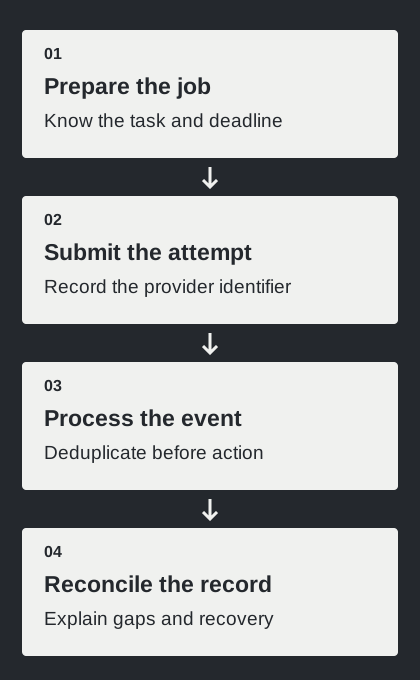
Use a controlled recipient to trace one full request through your own storage and back to a reply. Then inspect a simulated or supported failure case with the provider’s documented procedure. Do not treat every timeout as permission to send again. The evidence you need is a recoverable attempt record, not simply a count of successful HTTP responses.
LoopMessage expects HTTP 200 within 15 seconds, retries up to 30 times and supports a configured authorization header plus webhook_id deduplication.
messages.dev signs timestamp plus raw body with HMAC-SHA256 and supplies a delivery ID. Its sent state means delivered; retry duration and ordering remain unspecified in these sources.
Twilio’s sent instead means upstream carrier acceptance. Neither vocabulary establishes a human read.
A useful choice for an API buyer
LoopMessage deserves consideration when its configurable sender and channel options fit a well-defined deployment. messages.dev deserves consideration when its dedicated-line package and webhook-enabled sandbox match the project’s early needs. Neither should win solely because one base price appears lower or one feature list uses the word unlimited more prominently.
Make the final worksheet include recurring options, one-time charges, sender identity, initiation permission, fallback, trial limits and required service terms. Attach the evidence from the production-relevant test. That turns a price comparison into a decision another engineer or finance colleague can reproduce, and it reduces the chance that a missing option becomes an unexpected dependency just before launch.
Source notes
- LoopMessage — Detailed pricing and options (checked September 28, 2026)
- LoopMessage — Channels and capabilities (checked September 28, 2026)
- messages.dev — Messages.dev platform (checked September 28, 2026)
- messages.dev — Plans and sandbox (checked September 28, 2026)
- Contact limits
- Initiation
- LoopMessage sandbox
- LoopMessage webhooks
- messages.dev sending
- messages.dev limits
- messages.dev webhooks
- Twilio message states